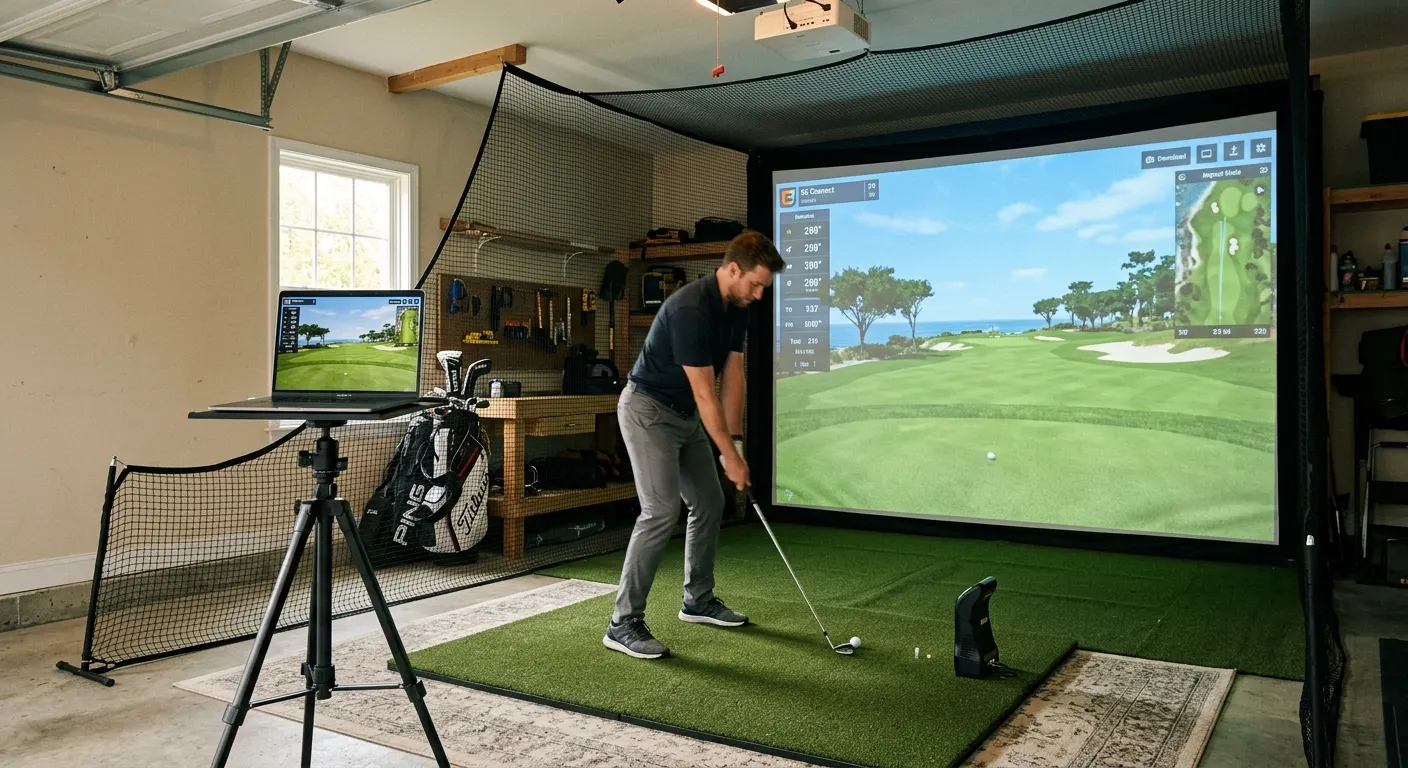
Best Budget Home Golf Simulator Setup Under $2,000
By Divotloft . 10 min read . Updated June 2026
A complete projection-based home golf simulator costs $4,000 to $10,000. But a data-driven practice station that gives you real ball speed, launch angle, spin, and club metrics costs well under $2,000 if you skip the projector and build around a practice net instead of an impact screen. You lose the on-screen course visualization, but you gain everything the launch monitor measures and the ability to take hundreds of swings per session with automatic ball return. This is the setup tour players use at home between tournaments, and it is genuinely effective for improving your game. The core of this build is the Garmin Approach R10 Launch Monitor at around $500 and the The Net Return Pro Series V2 Golf Net at $649 to $799, both of which have been proven by thousands of home practitioners.
The short answer
Build around the Garmin Approach R10 at roughly $500 paired with the Net Return Pro Series V2 automatic ball return net at under $800 and a Country Club Elite hitting mat. Add GSPro or E6 Connect on a Windows PC for course simulation. A complete data-driven practice station comes in under $2,000 with the launch monitor, net, mat, and a putting accessory.
This guide contains affiliate links. Divotloft may earn a commission at no cost to you.
The launch monitor: your data core
The launch monitor is what makes this a real practice station rather than just hitting into a net and guessing. With a launch monitor, every swing produces ball speed, launch angle, carry distance, and club data that you can review and trend over time.
The Garmin Approach R10 Launch Monitor at around $499 is the budget pick for 2026: no mandatory subscription for basic data, compatible with E6 Connect and GSPro, ten-hour battery, and pocket-sized for range trips. It estimates spin indoors rather than measuring it directly, which is the main trade-off versus pricier units, but the accuracy is solid for recreational improvement work.
If you want directly measured spin without metallic dot stickers and are willing to spend $200 more, the Rapsodo MLM2PRO Mobile Launch Monitor at $699 is the step up. Its dual camera and radar hybrid captures 15 metrics including spin axis, club path, and face angle, and the basic mobile app shows data instantly without a subscription. For this budget build, the Garmin R10 is the better value choice, but the MLM2PRO is the obvious upgrade path if your practice demands more.

Garmin Approach R10 Launch Monitor
A pocket-sized radar launch monitor priced around $500 with zero mandatory subscription and compatibility with E6 Connect, GSPro, and over 42,000 Home Tee Hero virtual courses via the Garmin Golf app.

Rapsodo MLM2PRO Mobile Launch Monitor
A dual camera and Doppler radar hybrid that delivers directly measured spin, club path, and face angle data at under $700, the most complete affordable launch monitor for home simulator use in 2026.
The net: automatic ball return changes everything
Hitting into a basic net and walking to retrieve every ball is the single biggest session killer for high-volume practice. An automatic ball return system uses an angled channel on the back of the net to roll each ball back to the golfer, so you get continuous reps with no retrieval walks.
The The Net Return Pro Series V2 Golf Net is the gold standard for home practice nets. Rated for ball speeds up to 200 mph with a 250,000-shot guarantee, it sets up tool-free in five minutes and requires 10 to 12 feet of depth for safe ball return distance. The 9.5-foot stance mat is included. At $649 to $799 it is the most expensive item in the budget build, but the rep efficiency it creates is genuinely worth it for anyone who practices regularly.
If the Pro Series price is too much, the The Net Return Home Series Golf Net at $399 to $499 uses the same automatic return design in a narrower, lighter frame rated for 150 mph ball speeds. It is narrower and shorter than the Pro Series, which limits the safety margin for extreme misses, but it suits most recreational golfers comfortably. If budget is tight enough that even this is a stretch, place the savings in the launch monitor and upgrade the net later.

The Net Return Pro Series V2 Golf Net
An automatic ball return hitting net rated for ball speeds up to 200 mph with a 250,000-shot guarantee, tool-free assembly in five minutes, and a wide 9.5-foot stance mat included, the standard premium practice net for home simulator setups.

The Net Return Home Series Golf Net
The entry-level version of the Net Return automatic ball return system, sized at 80 inches by 82 inches with a 150 mph ball speed rating and the same auto-return channel as the Pro Series at a lower price.
The hitting mat: do not scrimp here
The hitting mat is where joint health is won or lost. A hard rubber mat stops the club on fat shots and sends that impact shock into your wrist and elbow on every slightly chunked iron. Over a season of regular practice, that accumulates into real soreness or injury. Budget or not, this is the one place in the build where spending a little more upfront saves medical costs later.
The Real Feel Country Club Elite Golf Mat at $249 to $499 depending on size is the right call here: 110-ounce dense nylon fiber on a closed-cell foam base that cushions fat shots without bouncing the club back unnaturally. It accepts standard wooden tees for driver practice, which the Garmin R10 measures well. Pair it with SimTurf Foam Floor Tiles for Golf Simulator Rooms at $149 to $299 to level the stance area around the mat and cushion the floor for long sessions.
If the Country Club Elite is over budget, look at the Fiberbuilt Grass Series Practice Station at $499, which uses Fiberbuilt patented fiber technology in a compact portable package. It punishes fat shots in a realistic way that actually improves technique and is rated for over 300,000 swings.

Real Feel Country Club Elite Golf Mat
A 110-ounce dense nylon mat on a 5/8-inch closed-cell foam base that accepts real wooden tees, cushions joints on fat shots, and pairs well with photometric launch monitors that read the lie at impact.

SimTurf Foam Floor Tiles for Golf Simulator Rooms
Purpose-built 5/8-inch interlocking foam tiles designed to pair with SimTurf putting surface and hitting mats at a matching 1-inch total height, so the hitting mat drops in flush with the surrounding studio floor.

Fiberbuilt Grass Series Practice Station
A compact, portable Fiberbuilt entry point using the same patented fiber technology as the studio mats, priced at $499, good for golfers who want the Fiberbuilt feel without committing to a full studio setup.
Adding course simulation on a budget
This build works great as a pure data-driven range session, but if you want to play virtual courses too, pair the Garmin R10 with GSPro Annual Subscription at $250 per year or E6 Connect Golf Simulator Software at $300 per year. Both support the R10 natively. You need a Windows PC or laptop connected to a monitor or TV positioned behind or to the side of the hitting area to display the software output.
WGT Golf Simulator Software is free and browser-accessible, making it the zero-cost way to try course simulation before committing to a paid platform. The sim integration is weaker than GSPro or E6, but it works with the Garmin R10 well enough to evaluate whether full course play is worth the annual subscription cost.

GSPro Annual Subscription
The most popular home golf simulator software in 2026, powered by the Unity engine with 4K graphics, online multiplayer, 1,000-plus community courses, and a flat $250 per year with no tiered upsells.
E6 Connect Golf Simulator Software
One of the longest-running and most widely compatible golf simulation platforms, supporting a broad range of launch monitors and offering a tiered subscription from $300 to $600 per year with official compatibility across more devices than any competitor.
WGT Golf Simulator Software
A free-to-play golf simulation platform with browser and PC app access, compatible with select launch monitors including the Garmin R10, and a useful way to test golf simulation before committing to a paid platform.
Putting and training add-ons that fit the budget
Add putting practice to the setup with the WellPutt Indoor Putting Mat 13 Foot at $149 to $199. The 13-foot mat covers meaningful distance reads with alignment guides built into the surface and no electronic components that add cost. Set it up perpendicular to the hitting mat and switch between full swing and putting practice in the same room.
For stroke data without the full ExPutt budget, use Golf Simulator Impact Tape Roll (Club Face Tape) on your irons and wedges to check face-contact consistency alongside launch monitor data. It costs under $22 for a bulk roll and adds a real diagnostic layer to every session. A Golf Simulator Ball Tray with Phone Holder at $49 to $89 keeps 50 to 80 balls at standing height and positions your phone to display Garmin Golf or R10 data at eye level between swings.
WellPutt Indoor Putting Mat 13 Foot
A 13-foot putting mat with visual alignment guides, built-in slope training aids, and a realistic micro-fiber surface targeting a stimp speed of around 10, suitable for both stroke mechanics training and distance control.
Golf Simulator Impact Tape Roll (Club Face Tape)
Self-adhesive paper or film tape applied to club faces that leaves an imprint of the ball contact point on every swing, a simple diagnostic tool that works alongside any launch monitor to confirm strike location.
Golf Simulator Ball Tray with Phone Holder
A waist-height rubber ball tray that holds 50 to 80 range balls beside the hitting mat with an integrated phone or tablet holder for viewing launch monitor data or streaming software without bending or reaching during a session.
Featured in this guide
Garmin Approach R10 Launch Monitor
A pocket-sized radar launch monitor priced around $500 with zero mandatory subscription and compatibility with E6 Connect, GSPro, and over 42,000 Home Tee Hero virtual courses via the Garmin Golf app.
The Net Return Pro Series V2 Golf Net
An automatic ball return hitting net rated for ball speeds up to 200 mph with a 250,000-shot guarantee, tool-free assembly in five minutes, and a wide 9.5-foot stance mat included, the standard premium practice net for home simulator setups.
Real Feel Country Club Elite Golf Mat
A 110-ounce dense nylon mat on a 5/8-inch closed-cell foam base that accepts real wooden tees, cushions joints on fat shots, and pairs well with photometric launch monitors that read the lie at impact.
GSPro Annual Subscription
The most popular home golf simulator software in 2026, powered by the Unity engine with 4K graphics, online multiplayer, 1,000-plus community courses, and a flat $250 per year with no tiered upsells.
WellPutt Indoor Putting Mat 13 Foot
A 13-foot putting mat with visual alignment guides, built-in slope training aids, and a realistic micro-fiber surface targeting a stimp speed of around 10, suitable for both stroke mechanics training and distance control.
Related roundups
FAQ
Frequently asked questions
Can you build a useful golf simulator for under $2,000?+
Yes, if you build around a launch monitor and practice net rather than a full projector and impact screen setup. The Garmin R10 at $500, Net Return Pro Series V2 at $750, and a Country Club Elite mat at $300 total under $1,600 and deliver real ball flight data on every swing with automatic ball return. Add GSPro for course play via a TV or monitor and you are in full simulation mode under $2,000.
What is the difference between a practice net setup and a full golf simulator?+
A practice net setup uses a launch monitor for data but no projector or impact screen. You see your numbers on a phone or tablet but not a projected course. A full golf simulator adds an impact screen and projector so you see a virtual course rendered in real time from your launch monitor data. The practice net setup costs $1,500 to $2,500. A full sim costs $4,000 to $10,000 or more.
Does the Garmin R10 work with GSPro?+
Yes. The Garmin R10 is officially supported by GSPro and E6 Connect, and also pairs with 42,000-plus Home Tee Hero courses via the Garmin Golf app. For GSPro, you pair the R10 via Bluetooth to a Windows PC running the software. The setup is straightforward and the compatibility is proven across many thousands of home builds.